
 Alexandar
 For Start Writing About Luxuryinteriors.org
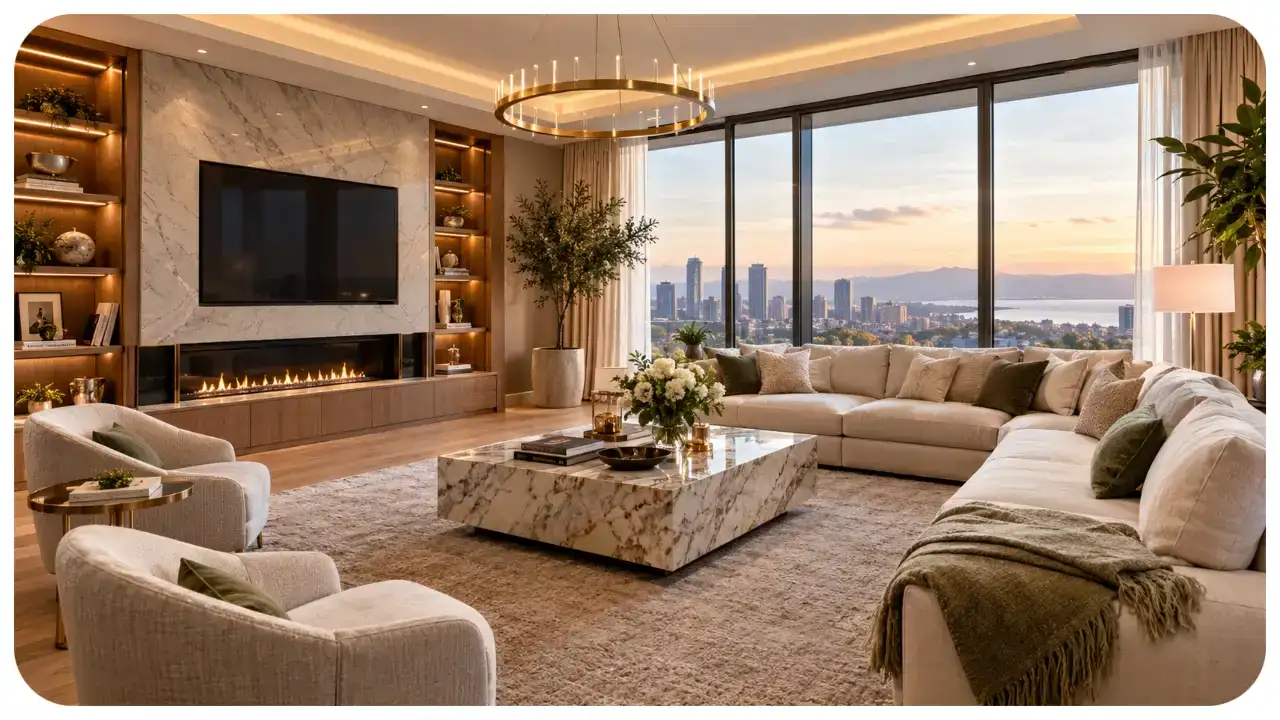
A beautiful home is more than a place to live. It reflects your personality, lifestyle, and taste. Luxury interior design combines comfort, elegance, functionality, and carefully selected details to create spaces that feel welcoming and sophisticated. Whether you live in a spacious house, a modern apartment, or a compact urban home, thoughtful design choices can transform your surroundings.
Today, luxury does not always mean expensive furniture or extravagant decorations. It is about choosing quality materials, creating a balanced layout, using lighting effectively, and making every room feel intentional. From elegant living rooms to peaceful bedrooms, the right approach can make a home look refined without sacrificing everyday comfort.
This guide explores practical luxury interior design ideas for modern homes, including colour schemes, furniture, lighting, textures, and room-by-room inspiration.
What Makes a Home Look Luxurious?
Luxury interior design focuses on the overall experience of a space rather than the price of individual items. A room can look sophisticated when its colours, materials, furniture, and lighting work together harmoniously.
Several elements contribute to a luxurious appearance.
Quality Materials
Materials influence how a room looks and feels. Natural wood, marble, linen, wool, glass, and brushed metal can introduce visual interest and a sense of quality. However, these materials do not need to appear everywhere. Using them strategically often produces a more balanced result.
For example, a wooden coffee table, textured curtains, and a stone-inspired countertop can create an elegant combination without overwhelming the room.
Thoughtful Space Planning
A luxurious interior should feel comfortable and easy to navigate. Furniture that is too large can make a room feel crowded, while pieces that are too small may leave the space looking unfinished.
Measure your rooms before purchasing furniture. Leave enough room for walking, opening doors, and using everyday items. A well-planned layout makes even a modest home feel more spacious.
Attention to Detail
Small details often make a significant difference. Coordinated hardware, carefully arranged cushions, attractive lamps, and neatly finished edges can help a room feel complete.
Rather than filling every corner with decorations, select a few meaningful pieces that complement the overall design.
1. Choose an Elegant Colour Palette
Colour is one of the most effective tools for creating a sophisticated interior. Modern luxury homes often use a restrained palette that allows furniture, artwork, and textures to stand out.
Neutral colours such as ivory, beige, warm white, taupe, and soft grey provide a versatile foundation. These shades can make rooms feel calm and timeless.
For a warmer appearance, combine cream walls with natural wood and bronze accents. If you prefer a more dramatic atmosphere, consider deep green, navy blue, or charcoal in selected areas.
How to Combine Colours Successfully
Start with a main colour for walls and larger surfaces. Add a secondary shade through furniture or curtains, then introduce one or two accent colours through cushions, artwork, or decorative accessories.
For example, a living room with warm white walls, a beige sofa, dark wood furniture, and muted green cushions can feel elegant without appearing overly formal.
Before painting an entire room, test colour samples under natural and artificial lighting. The same shade can look different throughout the day.
2. Create a Sophisticated Living Room
The living room often serves as the centre of family life and entertainment. It should look attractive while remaining practical for everyday use.
Begin with comfortable seating that suits the room’s dimensions. A well-designed sofa can become the focal point, while armchairs provide additional seating and visual balance.
Arrange the furniture to encourage conversation. In larger rooms, a rug can help define the seating area and make the layout feel connected.
Add Character Without Cluttering
A large artwork, sculptural lamp, or distinctive coffee table can provide a focal point. Choose accessories that complement the room instead of competing for attention.
Layering different textures also adds depth. Consider combining a soft sofa, woven rug, smooth wood, and metal accents.
If your living room is small, use furniture with visible legs and avoid oversized pieces. Mirrors can help reflect light, while a limited colour palette creates a more cohesive appearance.
3. Design a Peaceful and Elegant Bedroom
A luxury bedroom should support relaxation and restful sleep. Its design should feel calm, comfortable, and personal rather than crowded with decorative objects.
Start with a supportive mattress, quality bedding, and a headboard that suits the room. Upholstered headboards introduce softness, while wooden designs can create a natural and understated appearance.
Use bedside tables that provide enough space for essentials. Matching lamps can create symmetry, although different lamps can also work when their size and visual weight remain balanced.
Make the Bed the Focal Point
Layer bedding with different textures instead of relying on numerous colours. A combination of crisp sheets, a textured duvet, and a few decorative cushions can look polished.
Choose curtains that provide suitable privacy and light control. Blackout curtains may be helpful for people who prefer a darker sleeping environment.
Warm bedside lighting can create a relaxing atmosphere in the evening. Whenever possible, include separate lighting controls so you can adjust the room according to your needs.
4. Use Lighting to Transform Your Interior
Lighting affects how people experience a room. It influences the appearance of colours, highlights architectural features, and helps create different moods.
A well-designed lighting plan usually combines three types of lighting.
Ambient lighting: Provides general illumination through ceiling fixtures, recessed lights, or other room-wide sources.
Task lighting: Supports specific activities, such as reading, cooking, working, or applying makeup.
Accent lighting: Highlights artwork, shelves, architectural details, or decorative objects.
Using these layers allows a room to remain functional throughout the day.
Select Fixtures That Complement Your Style
Pendant lights can add character above dining tables and kitchen islands. Wall sconces work well in bedrooms and hallways, while floor lamps can introduce softer illumination to living areas.
Consider the size of each fixture in relation to the room. A large chandelier may suit a spacious dining room but overwhelm a small bedroom.
Whenever possible, install dimmers for greater flexibility. Also, choose appropriate bulb brightness and colour temperature for each activity.
5. Bring Natural Materials Indoors
Natural materials can make modern interiors feel warmer and more inviting. Wood, stone, linen, cotton, and wool introduce textures that balance polished surfaces and contemporary furniture.
A wooden dining table can soften a room with metal and glass elements. Linen curtains provide a relaxed appearance, while a wool rug can make a seating area feel more comfortable.
Plants are another useful addition. They introduce natural colour and can help connect indoor spaces with the outdoors.
Choose plants according to the available sunlight, humidity, and maintenance requirements. If you have limited natural light, select suitable low-light varieties rather than purchasing plants solely for their appearance.
6. Create a Functional Luxury Kitchen
A modern luxury kitchen should combine attractive finishes with efficient storage and practical work areas.
Begin by considering how you prepare meals, store equipment, and move between the sink, refrigerator, and cooking surface. A functional layout makes everyday tasks easier.
Cabinetry can have a significant impact on the kitchen’s appearance. Flat-front cabinets create a contemporary look, while traditional panelled doors suit more classic interiors.
Focus on Practical Finishes
Choose countertop materials according to durability, maintenance, appearance, and budget. Natural stone, engineered surfaces, and other countertop options have different care requirements, so research them before making a decision.
Under-cabinet lighting can improve visibility while preparing food. Drawer organisers, pull-out storage, and dedicated spaces for small appliances can also help keep countertops clear.
For a sophisticated colour scheme, consider warm white cabinets, natural wood accents, and understated metal hardware. You can introduce contrast through a darker island or carefully selected pendant lights.
Remember that an attractive kitchen should still be easy to clean and comfortable to use.
7. Turn the Bathroom into a Personal Retreat
A bathroom can feel more luxurious through thoughtful organisation, comfortable lighting, and coordinated finishes.
Start with good ventilation, effective storage, and suitable task lighting around the mirror. These practical features matter as much as decorative choices.
Large mirrors can help smaller bathrooms feel more open. Glass shower screens may also reduce visual barriers, depending on the layout.
Choose towels, storage containers, and accessories in complementary colours. Natural textures and simple decorative details can create a spa-inspired atmosphere without requiring a complete renovation.
If you are updating an existing bathroom, replacing old hardware, improving lighting, refreshing the grout, and organising storage may deliver noticeable improvements at a lower cost than replacing every fixture.
Always prioritise slip-resistant flooring, appropriate waterproofing, and safe electrical installation.
8. Use Artwork and Accessories with Purpose
Artwork and decorative accessories give a home personality. They can introduce colour, communicate interests, and connect different areas of a room.
Instead of displaying many small objects, consider a larger artwork or a carefully arranged collection. Position pieces at a comfortable viewing height and leave enough space around them.
Decorative bowls, ceramic vases, books, and sculptural objects can work well on shelves and coffee tables. Group items in different heights and shapes to create visual interest.
Personal photographs and objects collected during travels can make a home feel authentic. Luxury interiors do not need to resemble hotel rooms; they should reflect the people who live in them.
Avoid purchasing decorations simply because they are fashionable. Select items that fit your style and that you will enjoy seeing over time.
9. Make Small Spaces Feel More Expensive
A compact home can still look elegant. The key is to use space efficiently and avoid unnecessary visual clutter.
Choose furniture that fits the room rather than forcing oversized pieces into a limited area. Multifunctional furniture, such as storage ottomans and extendable dining tables, can improve flexibility.
Keep pathways clear and use vertical storage where appropriate. Wall-mounted shelves can provide storage without taking up valuable floor space.
Mirrors may help distribute natural light, particularly when placed thoughtfully near a window. However, their effect depends on the room’s layout and the surfaces they reflect.
Use a consistent palette across connected areas to create visual continuity. This approach can make a small apartment feel more unified and spacious.
Finally, invest in good lighting. A combination of ceiling lights, task lamps, and accent lighting can prevent corners from feeling dark or neglected.
10. Balance Luxury with Your Budget
Creating an elegant home does not require purchasing everything at once. A planned approach helps you focus on the improvements that matter most.
Begin by identifying the room you use most frequently. Decide which elements need attention, such as poor lighting, uncomfortable seating, insufficient storage, or worn finishes.
Spend more carefully on items that receive frequent use, including a mattress, sofa, or dining table. Decorative accessories can often be purchased gradually.
Affordable Ways to Improve Your Home
Consider these practical updates:
- Repaint walls in a coordinated, timeless colour.
- Replace outdated cabinet handles and drawer pulls.
- Upgrade lighting fixtures where necessary.
- Add curtains that suit the room’s dimensions.
- Rearrange existing furniture to improve the layout.
- Remove unnecessary clutter and organise visible storage.
- Introduce cushions, rugs, or artwork for added texture.
- Repair damaged surfaces before buying new decorations.
Before starting a renovation, establish a realistic budget and include a contingency for unexpected expenses. Obtain professional advice when structural work, plumbing, electrical changes, or other specialised tasks are involved.
The goal is not to make every item expensive. It is to create a home where the elements work together.
11. Follow Trends Without Losing Your Personal Style
Interior design trends can provide inspiration, but not every trend suits every home. Some styles remain attractive for years, while others may quickly feel outdated.
Rather than redesigning an entire room around a temporary trend, introduce current ideas through smaller, replaceable items.
For example, experiment with a fashionable accent colour through cushions, artwork, or a decorative lamp. If your preferences change, these items are easier to update than flooring or fitted cabinetry.
Focus on lasting qualities such as comfort, functionality, suitable proportions, and durable materials. These principles can support many different design styles.
It is also worth considering the architecture of your home. A contemporary apartment, a traditional family house, and a coastal property may benefit from different approaches.
A successful design respects the space while allowing your personal preferences to guide the final choices.
Conclusion
Luxury interior design is about creating a home that feels beautiful, comfortable, and suited to everyday life. Thoughtful colour choices, quality materials, practical furniture, layered lighting, and carefully selected accessories can transform almost any space.
You do not need an unlimited budget or a large property to achieve an elegant result. Start with the rooms that matter most, improve their functionality, and introduce decorative details gradually.
Most importantly, design your home around your own needs and preferences. When comfort, practicality, and visual harmony come together, the result can feel genuinely luxurious.
Explore more home styling inspiration, room ideas, and practical design guidance at LuxuryInteriors.org as you develop a space that reflects your lifestyle and personal taste.

WurduXAlgoilds – Latest Updates, Information & Resources
Finding reliable online information can take time, especially when you want fresh updates in one...

William John March: Biography, Career, Achievements, and Lasting Legacy
William John March, widely known in literary history as William March, is regarded as one...
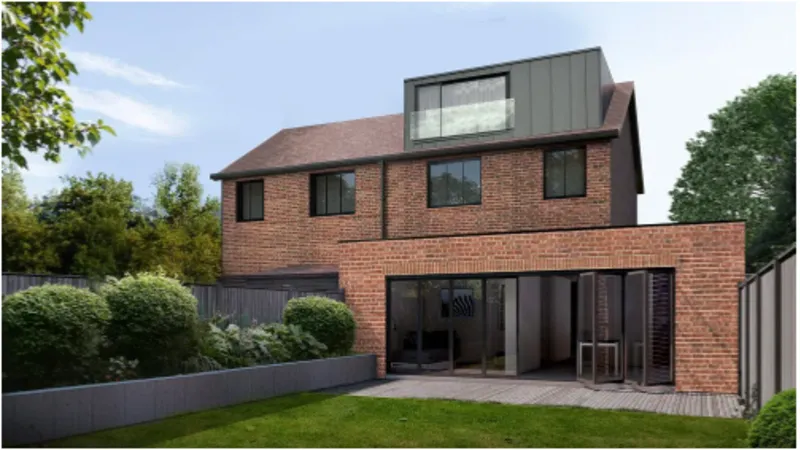
Why So Many London Loft Conversions Go Over Budget, and What a Design and Build London Team Does Differently
Most people start a loft conversion excited about the new room. The light. The view...

WhatUTalkingBoutWillis Home Hacks and Helps Archives
In today’s fast-paced world, people aren’t just searching for home tips—they’re looking for practical, time-saving...

WhatUTalkingBoutWillis Gift Guide: Best & Unique Ideas
Gift shopping can feel confusing when you want something meaningful, useful, and memorable at the...

WhatUTalkingBoutWillis com: Full Guide & Review 2026
In today’s crowded internet landscape, certain websites stand out because of their unique identity and...

WhatUtalkingBoutWillis Blog: Complete Guide & Key Insights
Helpful, and engaging isn’t always easy. That’s where WhatUtalkingBoutWillis comes in—a blog that blends lifestyle...

Uselegance.co.uk: A Guide to Exploring Online Shopping and Modern Style
Online shopping has become an important part of modern life, giving people the opportunity to...

United Home Life: Latest Updates, Information & Resources
Finding clear and useful information about united home life can be challenging when different sources...